Key Takeaways
Created with AI - we're still experimenting, so apologies if it misses the mark
- Exceptional Image Quality: The Odyssey OLED G9 monitor utilizes high-quality OLED technology, delivering a wide range of colors for impressive visuals.
- Enhanced Gaming Experience: With features like Dual QHD resolution (5120 x 1440), a 240Hz refresh rate, and a 0.03ms response time, the monitor offers near-instant reactions crucial for competitive gamers.
- Multitasking Capabilities: The Odyssey OLED G9 provides picture-in-picture and picture-by-picture capabilities, enhancing its utility for creators who need to use two sources simultaneously.
- Gaming-Focused Features: The monitor offers GSync and AMD FreeSync Premium Pro compatibility, reducing syncing issues and lag during fast-paced games, along with a slim metal stand offering adjustable height and tilt for optimal comfort.
Recommended products
This page contains affiliate links. As an Amazon Associate, we earn a commission from purchases made through these links.


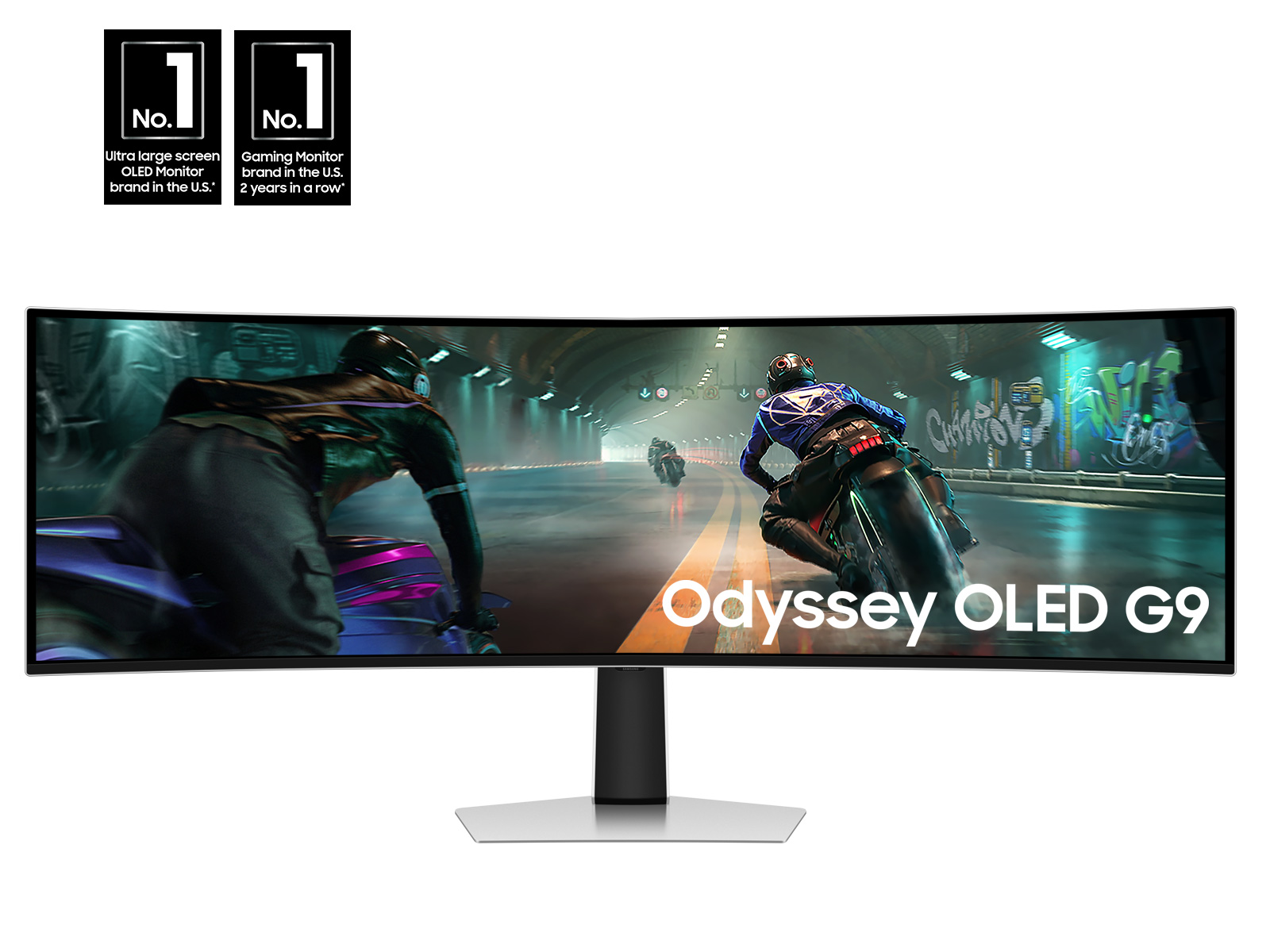
Samsung has announced its new Odyssey OLED G9 gaming monitor, a 49-inch display with a metallic silver finish. Designed for top-tier performance and ergonomics, this monitor boasts features such as DQHD resolution, a 240Hz refresh rate, GSync compatibility, Premium FreeSync support, and a 0.03ms response time. Marina Correia, Samsung Brazil’s monitor manager, stated, “The 49-inch Odyssey OLED G9 shows once again that we’re at the top of the premium gaming monitor market. It’s a real game changer.” The Odyssey OLED G9’s key features include: 1. Image Quality: High-quality OLED technology delivers a wide range of colors for impressive visuals. 2. Resolution: Dual QHD (5120 x 1440) resolution creates a cinematic gameplay experience. 3. Speed: Fast response times cater to esports enthusiasts, pushing the limits of gaming immersion.
The monitor’s 0.03ms response time allows for near-instant reactions, crucial for competitive gamers. Paired with a 240Hz refresh rate via HDMI 2.1 and DisplayPort, it ensures fluid gameplay where every millisecond matters. Samsung’s OLED Glare-Free technology reduces light glare by 54%, providing perfect blacks and vibrant colors without distracting reflections. The expansive 32:9 aspect ratio and sharp 110 pixels per inch on the 49-inch screen reveal peripheral details often missed on smaller monitors. G-Sync and AMD FreeSync Premium Pro compatibility eliminate syncing issues and lag, even in fast-paced games. The monitor also provides multitasking capabilities and multiple connectivity options. The Odyssey OLED G9 offers easy-to-access ports, including HDMI 2.1, micro HDMI, DisplayPort, and USB-C. Features such as picture-in-picture and picture-by-picture enhance its utility for creators needing to use two sources simultaneously. The monitor’s slim metal stand offers adjustable height and tilt for optimal comfort. CoreSync and Core Lighting technologies further enhance the immersive gaming experience. The monitor is available in Brazil for R$ 9,499.00.
Brazilian gamers are eagerly anticipating the Odyssey Cup 2026, a Counter-Strike 2 tournament. Registration is now open, offering participants not only a chance to compete, but also opportunities to win Odyssey monitors and other exclusive giveaways throughout the event. The tournament features online rounds leading up to the semi-finals, with the grand final taking place live on May 30th. Fans can stream the action online. Additional details are available on the official site or Samsung Newsroom Brazil. UL verified the monitor’s reflection-free performance; details are available on their website: [https://verify.ul.com/verifications/732](https://verify.ul.com/verifications/732). The placement of the G-Sync logo may vary depending on the purchase date. Thermal modulation settings affect the logo’s visibility: with “Adjust logo brightness” set to “Off” or “Low,” it functions only in specific image modes; setting it to “High” keeps it active continuously. Samsung Electronics Co., Ltd. provides this information.
Samsung’s Innovative Technologies Revolutionize Everyday Life and Beyond at Samsung Newsroom Brazil
Samsung aims to inspire the world through innovative technologies. The company transforms the landscape of TVs, digital signage, smartphones, wearables, tablets, home appliances, and network systems, while also advancing in medical imaging, climate control, robotics, automotive products, and audio equipment through Harman. Samsung’s SmartThings platform, collaborations with partners, and integration of AI across its products create a connected and intelligent experience for users. The Galaxy line, Knox Suite, and VXT offer B2B solutions. For more information, visit Samsung Newsroom Brazil at News.samsung.com/br.
In Case You Missed It
In other tech news, be sure to check out Bruno Pferd’s latest post on the Mobile World Congress 2026. Published just yesterday (March 11th), “MWC 2026: Galaxy AI Expands Across Entire Galaxy Ecosystem” delves into Samsung Electronics’ new vision for daily life driven by their advanced Galaxy AI ecosystem, centered around the Galaxy S26 line. From innovative features like Privacy Screen Protect and Smart Photo to new formats such as the headset-style Galaxy XR6, there’s plenty to explore in this comprehensive look at Samsung’s latest offerings MWC 2026: Galaxy AI Expands Across Entire Galaxy Ecosystem. If you’re eager to dive deeper into these exciting advancements, Carlos Mendoza’s recent piece, “4 Ways to Expand What’s Possible with Your Smartphone in the Galaxy S26 Line”, published on the same day, explores how innovations like Privacy Screen Protect and Smart Photo are reshaping our daily experiences 4 Ways to Expand What’s Possible with Your Smartphone in the Galaxy S26 Line. While discussing these latest security features, we also want to share Marcus Thompson’s recent post on “How to Activate Privacy Screen on Galaxy S26 Ultra”, published March 11th. Ever wished for an extra layer of privacy while using your phone in crowded spaces? Well, Samsung heard you! Dive into Marcus’ guide to explore this innovative pixel-level privacy screen and learn how to customize it according to your needs How to Activate Privacy Screen on Galaxy S26 Ultra.
Have any thoughts?
Share your reaction or leave a quick response — we’d love to hear what you think!
-
 0
0
-
0
-
0
-
0
-
0
-
0


