How to Choose an Efficient Computer Video Editing Workflow
Choosing the right online video editor, with an intuitive interface, automation features, and integrated asset library, allows creators to efficiently produce high-quality content while focusing more on storytelling rather than technical barriers.
Jonathan Dubinski · 4 min read
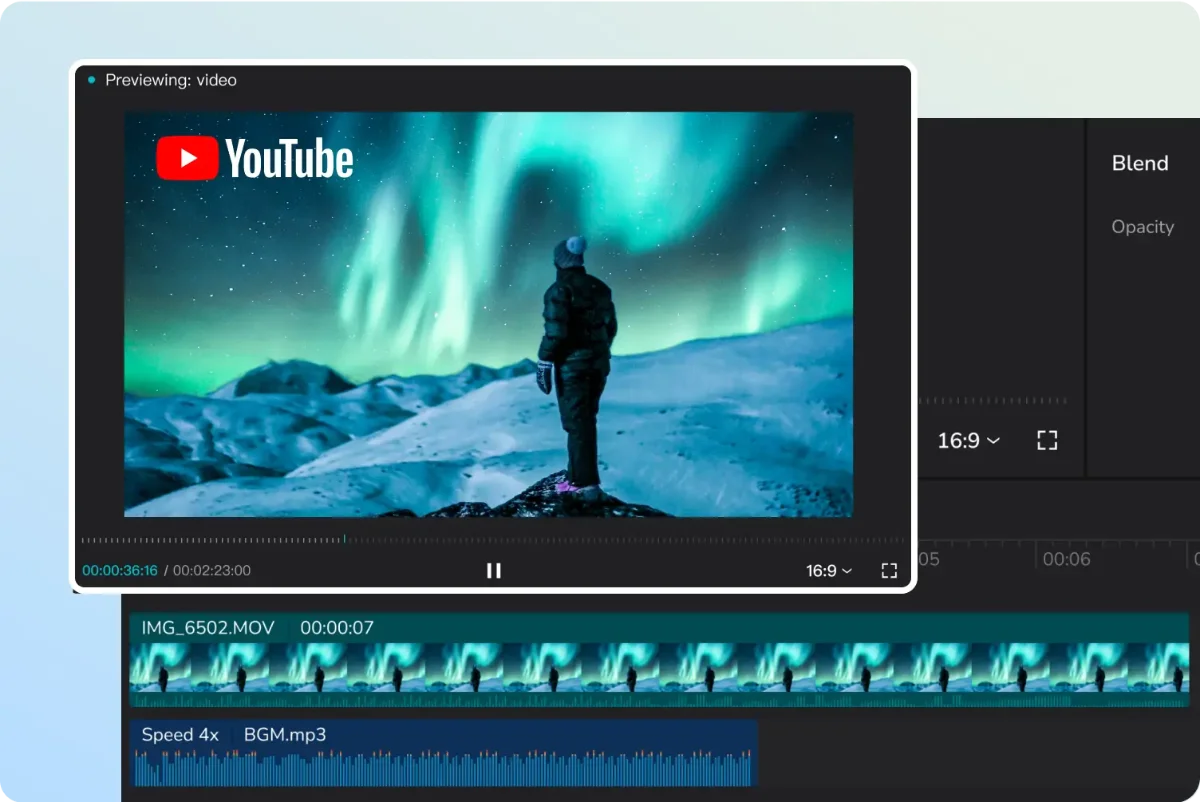
Video creation is now a universal activity, from schools to businesses and individual creators. The key is having a PC video editor that's both powerful and user-friendly. The challenge isn't finding options, but choosing one that doesn't complicate the creative process with steep learning curves or excessive hardware demands. While many perceive video editors as complex and cumbersome, cloud computing is changing that, enabling professional-quality results without the traditional technical headaches.
To maximize your time, pinpointing the biggest productivity drains in traditional editing is crucial. Often, configuring codecs, organizing proxies, and updating drivers consumes more time than actual storytelling. Online video editors address this issue directly. By offloading processing to high-performance servers, creators free up local computer resources while maintaining smooth navigation rarely found on entry-level machines. Editing occurs directly in the browser, eliminating installation and compatibility issues. Imagine starting a complex project on a desktop and making last-minute adjustments on a laptop, simply by logging in. This mobility, coupled with integrated AI tools, defines modern content creation.
When selecting an editing tool, prioritize these pillars of consistent production: 1. Intuitive and Organized Interface: Tools should be arranged logically. A user-friendly timeline enables precise clip manipulation without complex commands, allowing creativity to flow naturally. 2. Automation Features: Automate repetitive tasks like audio syncing, green screen removal (chroma key), and subtitle generation. Modern editors use algorithms to identify patterns and suggest improvements, saving significant time. 3. Integrated Asset Library: Searching for royalty-free music, transitions, and graphics is a common bottleneck. Native access to these resources accelerates the editing process and ensures visual consistency.
Effective video creation requires both the right tool and a strategic method. Optimize your workflow with these steps: Media Organization: Before timeline editing, categorize your files (interviews, B-roll, tracks, graphics) to maintain clarity. Dry Cut (Rough Cut): Focus on the narrative. Remove errors, pauses, and irrelevant content to define the video's rhythm. Audio and Color Treatment: Strong audio significantly improves audience retention. Normalize voice levels and apply basic color correction for a polished look. Insertion of Information Layers: Use dynamic text and overlays to emphasize key points and reinforce your brand.
Optimizing Video Editing Workflow: Simplify Process, Focus on Storytelling, and Choose Cloud Solutions
Beginner editors often mistakenly believe that more effects and transitions improve a video. However, excessive visuals distract viewers and reveal amateur work. True skill lies in delivering a clear and subtle message. Another common error is neglecting platform-specific export settings. YouTube videos require different settings than vertical social media content. Using platforms with optimized export presets saves time and prevents quality loss from network compression. With cloud-based solutions streamlining the editing process and helping avoid common pitfalls, content creators can focus on what truly matters: storytelling. Choosing the right video editing path means understanding your project's complexity and your need for speed. If you value advanced features like AI filters and stock libraries alongside efficient workflows, consider cloud solutions. After all, viewers connect with your story, not the software you use. Simplify your process to rediscover the joy of creating and maintain consistent content delivery.
In Case You Missed It
Catch your breath, folks! We've got a triple scoop of gaming and comic news that'll have you on the edge of your seats. First up, Marathon's gearing up to launch its newest advanced zone, Crioarchive, this Friday the 20th, courtesy of Bruno Pferd. This ain't no ordinary zone – we're talking intense PvPVE combat, camera exploration, and risky extractions across six wings filled with cryogenic capsules, medical bays, storage areas, and seven high-security chambers packing superior loot and unique weapons. But hold onto your hats, players must be level 25, have unlocked all factions, and sport armament worth at least 5,000 credits to access this zone. And that's not all – Bruno's also spilling the beans on the upcoming Ranked Mode dropping on March 21st. You won't wanna miss it Marathon Gets Advanced Zone Crioarchive on Friday (20). Now, let's shift gears to the comic world where Marvel's shaking things up big time – Wolverine's losing his adamantium claws this June! That's right, folks. Saladin Ahmed and Julius Ohta are teaming up to pen and illustrate an unforgettable arc in issues #21 and #22, as Logan goes on a perilous journey with Nightcrawler, learning to navigate life sans his signature weapons. Ahmed Hassan takes a deep dive into this monumental shift in Wolverine's history – don't miss out Marvel Removes Wolverine's Adamantium Claws. Lastly, gaming enthusiasts, you'll want to check out Jonathan Dubinski's recent piece "Lies of P Continues Selling Briskly." This insightful article explores how Neowiz and Round8 Studio's latest title has sold over 4 million units across platforms like Game Pass and PlayStation Plus in just a month! The global community's support is clearly driving this game's success, with plans for further expansion or a sequel already in motion. Dive right in here Lies of P Continues Selling Briskly. Phew! That was quite the ride. Stay tuned for more gaming and comic news!
// The Friday recap
Enjoyed this article? You will like the Friday recap.
Where to buy
As an Amazon Associate we earn from qualifying purchases.

Video Editing Software Pack | Editor, YouTube Downloader, MP3 MP4 Converter, Green Screen App | 10K Transitions for Premiere Pro and Sound Effects | Windows and Mac 64GB USB
See the price on Amazon
TourBox NEO - Customizable Editing Controller, Photo Color Grading Illustration Speed Editor, Intuitive Control Boost Productivity, Programmable Keyboard for Adobe CSP and More, Works with Mac/PC
See the price on Amazon